On Thursday, February 07, 2013 10:06:08 AM Christian Brabandt wrote:
> Mysterious. I built latest (well almost, since yesterday vim mainline
> is a few patches away) Vim 7.3.798 on amd64 architecture on Ubuntu 12.10
> and tried to reproduce what you get and still, it seems to work fine.
>
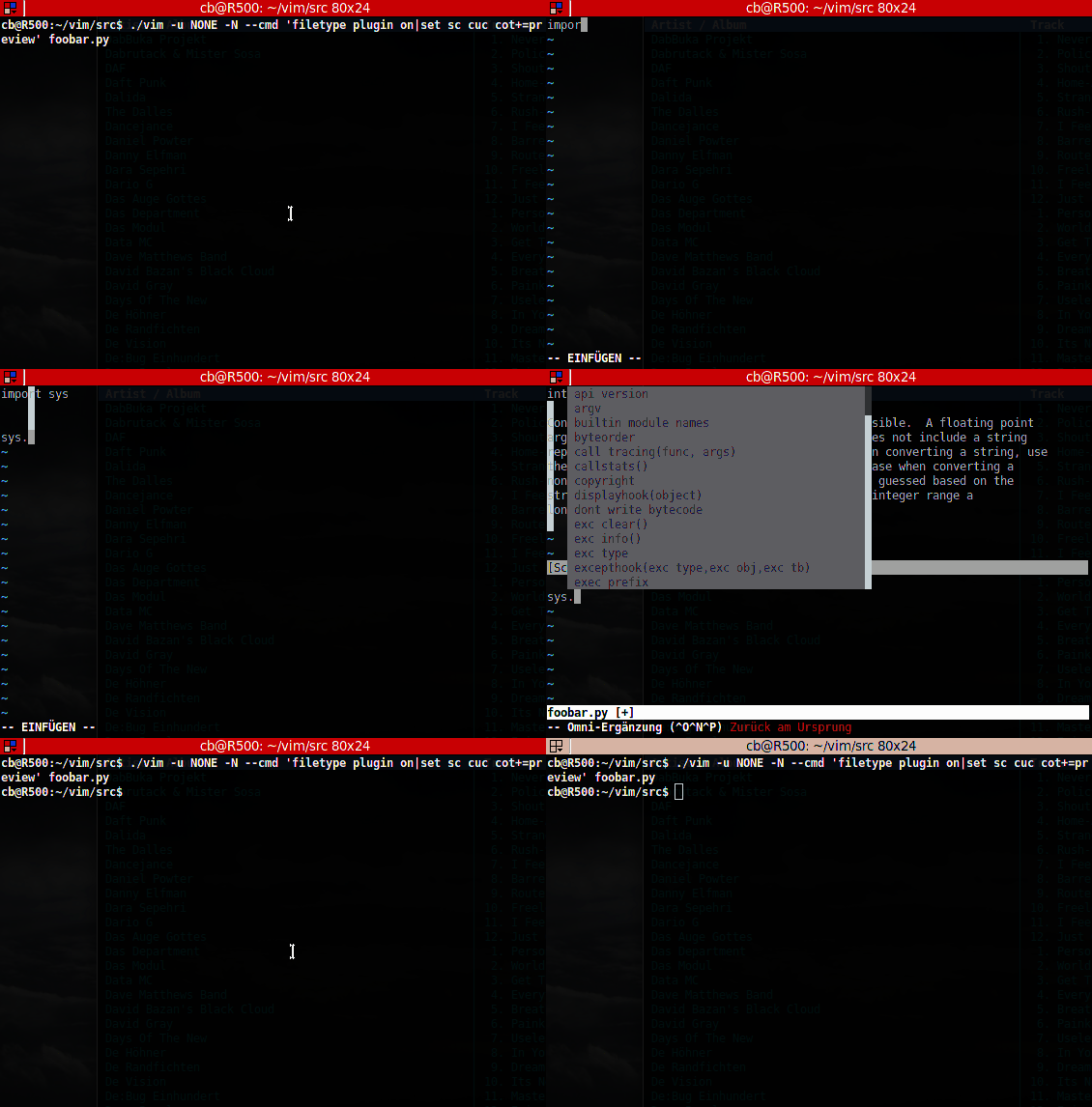
> Here is a screencast, of what I did.
> http://www.256bit.org/~chrisbra/capture.gif
>
> Can you try this please and see, if this triggers the bug for you?
> I am starting to wonder, if this could be related to some video driver
> bug or so.
>
> regards,
> Christian
Hey, this is realy strange. But i noticed one thing in your gif. Isn't the
pop-up menu supposed to pop up right below or on the same line as the input
text? Your pop-up menu starts "in" the preview window. Anyway, I'm going to
download ubuntu 12.10 an do some testing on this tomorrow at university, since
my internet connection at home is terrible.
I don't think that this is and graphics card driver fault or something like
this, since i have the same issue inside the virtualbox on my machine in
university, which has a cpu built in graphics card on the host.
It might be an issue with Konsole. I use Konsole on all my machines. I
downloaded xterm and tried it and it worked, but when i resized the window
(the xterm window) i had the same issue.
Regards
Benjamin
--
--
You received this message from the "vim_use" maillist.
Do not top-post! Type your reply below the text you are replying to.
For more information, visit http://www.vim.org/maillist.php
---
You received this message because you are subscribed to the Google Groups "vim_use" group.
To unsubscribe from this group and stop receiving emails from it, send an email to vim_use+unsubscribe@googlegroups.com.
For more options, visit https://groups.google.com/groups/opt_out.

Subscribe to:
Post Comments (Atom)
No comments:
Post a Comment